Water sort puzzle testing
Water Sort Puzzle Solver
The Water Sort Puzzle Solver helps you enter bottle colors, preview the layout, and test whether a puzzle can be solved before you replay the moves step by step. A layout may look fine in an editor and still get stuck after a few pours because one color is buried, one empty space disappears too early, or the level quietly depends on an extra helper bottle.
This guide is about that testing workflow. Build or copy a bottle layout, paste the JSON into the water sort solver, check the preview, and see whether the puzzle has a real path to completion.
Why I Prefer Testing the JSON Instead of a Screenshot
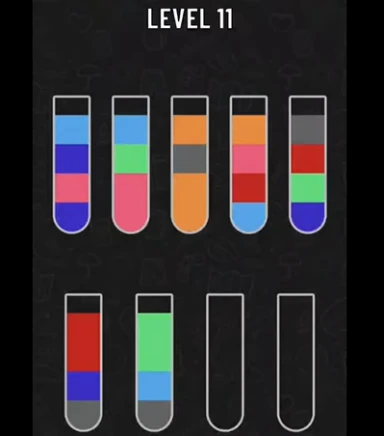
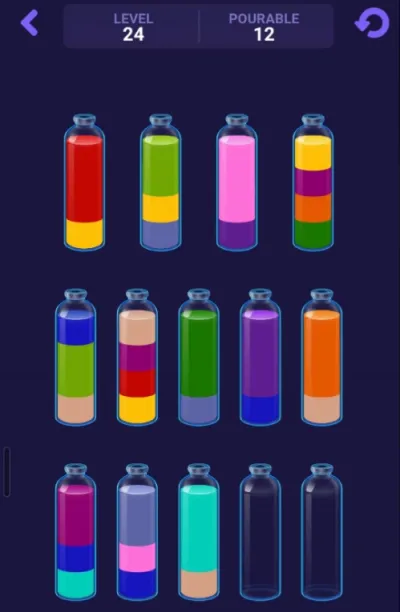
For a small water sort level, you can usually solve by looking at the board. Custom levels are different. Once you start generating layouts or moving bottles around in an editor, guessing from the screen becomes a poor way to check whether the puzzle is valid.
JSON removes that guesswork. It tells the solver exactly what is in each bottle, which colors are on top, and where the empty space is. There is no need to decide whether a color is red or orange from a compressed image, and no need to manually rebuild the board.
A simple level can use color names, while exported editor data may use numeric color IDs. Both are fine as long as the order inside each bottle is preserved.
- ["red", "blue", "green"] means red is at the bottom and green is on top.
- Numeric colors such as [1, 2, 3] work the same way.
- Editor exports can also include bottle positions, which makes the preview easier to compare with the original layout.
- Try the Water Sort SolverPaste level JSON, preview bottles, and generate move steps.
- See the Water Sort Level 50 workflowExample guide for turning a level screenshot into solver-ready JSON.
How the Move List Stays Readable
The move output should be boring in a good way. I want to see something like A -> C, not a huge dump of every board state. That only works if the preview labels are clear before solving starts.
The solver treats each bottle as a stack. It pours only from the top, and it moves the top connected group of the same color. If bottle A ends with three blue layers at the top and bottle C has room for them, the move can transfer that group. If C only has room for one layer, the move is limited by that space.
This is also why the preview should show layers from the bottom upward. If the rendered bottle does not match the JSON order, the solution steps will be confusing even when the algorithm is correct.
- Bottle labels start at A and continue alphabetically.
- The first JSON value is the bottom layer.
- The last JSON value is the top layer.
- A solution line like B -> E means pour the top legal color group from B into E.
The Checks I Run Before Solving
A lot of bad solver results start with bad input. If a color count is wrong, or a bottle has too many layers, the puzzle may fail for reasons that have nothing to do with strategy.
For the usual four-layer water sort puzzle, each color should appear exactly four times. No bottle should have more than four layers. The level also needs at least one empty slot somewhere. That does not always mean a fully empty bottle; a half-filled bottle still gives the player room to move.
These checks are intentionally plain. They catch the common mistakes before the search begins, which is better than waiting for a vague no-solution message.
- Reject overfilled bottles.
- Warn when a color appears fewer or more than four times.
- Require at least one open slot.
- Accept both text colors and numeric color IDs.
- Keep the bottle count reasonable so the browser does not spend too long searching.
Some Levels Only Work With Extra Space
One thing I did not appreciate at first is how often sort games lean on extra bottles. A level may be technically designed around an unlockable helper bottle, especially in mobile games where one more empty bottle appears after an ad or reward.
Because of that, a useful test is not just solved or unsolved. First try the original layout. If that fails, try the same layout with one extra empty bottle. If needed, try two. When the extra version works, the output should say so clearly.
That warning changes how you read the level. It may not be broken; it may simply be too tight without the helper bottle. For a designer, that is useful information before publishing the level.
If the original layout fails but the +1 bottle version solves, the level probably depends on extra space. That may be intentional, but it should not be hidden in the report.
Using the Level Editor Without Guesswork
The level editor is where the workflow becomes practical. Build a layout visually, export the JSON, paste it into the solver, and check the result. If the move list looks strange or the solver needs an extra bottle, go back and adjust the layout.
This loop is faster than play-testing every generated level by hand. It also makes it easier to notice patterns: which color placements create dead ends, how much empty space a level really needs, and when a puzzle feels hard in a fair way.
The editor project is available on GitHub, so the workflow is also easy to reference if you are writing about custom water sort levels or building your own puzzle pipeline.
If you want a concrete screenshot-to-JSON example instead of a generic workflow, the Water Sort Level 50 guide shows that exact path on a real level-style board.
- Open the Water Sort Level EditorCreate bottle layouts and export JSON for solver testing.
- View the editor project on GitHubCocos Creator editor project for water sort level data.
- Open the Water Sort Level 50 guideFollow a real level-style screenshot to JSON to solver example.
A Few Things the Move List Can Teach You
Even when the solver finds the answer, the move list is still worth reading. It often shows where the level was tight. Did the solution protect an empty bottle for a long time? Did it finish one color early? Did it need extra space before anything useful could happen?
In most water sort puzzles, empty space is the real resource. A move can be legal and still make the board worse if it fills the last flexible bottle. The better moves usually combine matching colors, reveal a buried layer, finish a bottle safely, or preserve a useful slot for the next step.
That is why I treat the solver as a testing aid rather than a replacement for the puzzle. The answer is helpful, but the pressure points in the answer are often more interesting.
- Play Sort Water NowPractice the same bottle-reading strategy in a browser game.
Water Sort Solver FAQ
No. It is a rules-based solver. It reads JSON, validates the bottle data, checks legal pours, and searches for a valid move sequence.
Yes. The solver supports the editor export format, including bottles with colors and position data.
In a normal four-layer puzzle, each color should appear four times. If the count is wrong, the level data is probably invalid before solving even starts.
It means the original layout could not be solved in the search, but the same layout became solvable after adding one or two empty bottles. Many mobile sort games use this kind of helper space.
Yes. After solving a puzzle in the visual solver, use the Share Solution button to create a replay link. The shared page opens with the bottle layout, move list, and step-by-step player so another person can follow the solution visually.
Start with the Water Sort Level Editor, create or generate a layout, copy the exported JSON, then paste it into the solver.